Get Quote
Home > News > Fan Knowledge Sharing > What Is a DC Compact Fan?
What Is a DC Compact Fan?

What Is a DC Compact Fan?

SEPTEMBER 03, 2026

Table of Contents

  1. Introduction

  2. How DC Compact Fans Work

  3. Types of DC Compact Fans

  4. Key Specifications and Performance

  5. Bearing Types: The Hidden Decision

  6. Speed Control and Interface Options

  7. Common Applications

  8. How to Choose the Right DC Compact Fan

  9. Summary

  10. Frequently Asked Questions

  11. References

1.Introduction

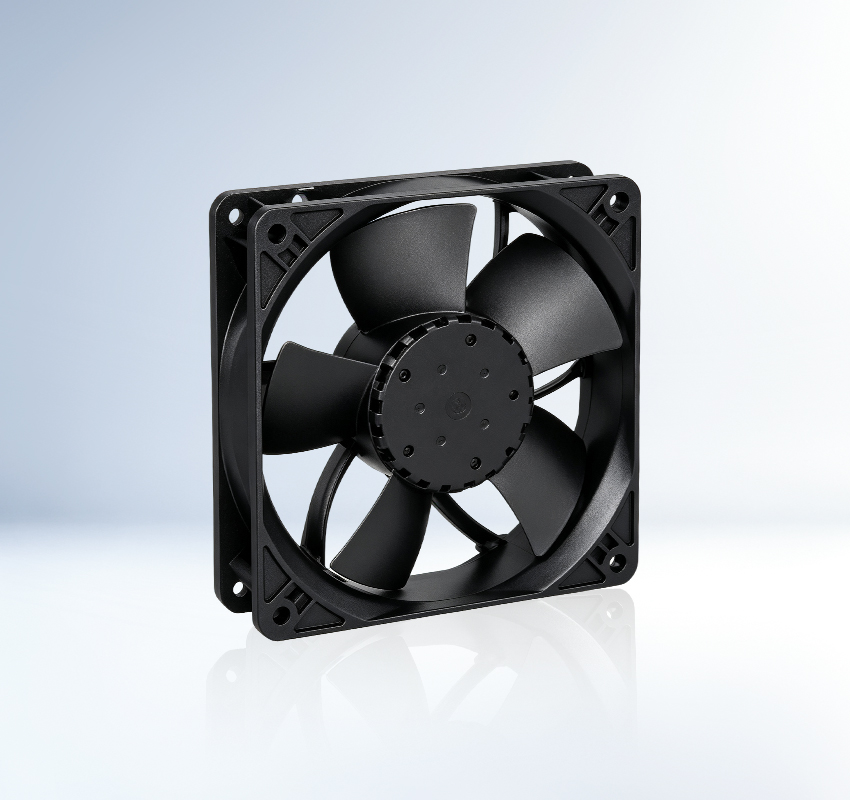
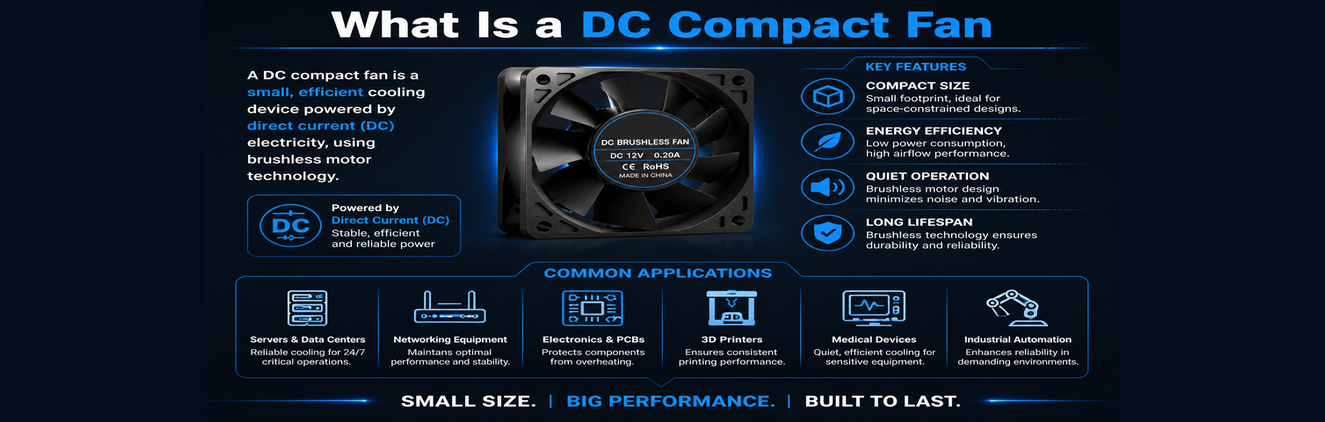
Open up any desktop computer, network switch, 3D printer, or telecom rack, and you will find a small fan keeping things from overheating. That fan is almost certainly a DC compact fan, a brushless DC (BLDC) axial fan designed for electronics cooling in tight spaces. They come in frame sizes from 25 mm to 172 mm, run on 5V to 48V DC, and push air across heat sinks and power supplies where larger AC fans would not fit [1].

Despite their ubiquity, DC compact fans are often treated as commodity parts. But the difference between a 2 dollar sleeve-bearing fan and a 15 dollar ball-bearing model with PWM control can mean the difference between a product that runs for a decade and one that fails within warranty. This article breaks down what DC compact fans are, how they work, and how to choose the right one.

2.How DC Compact Fans Work

What Is a DC Compact Fan?

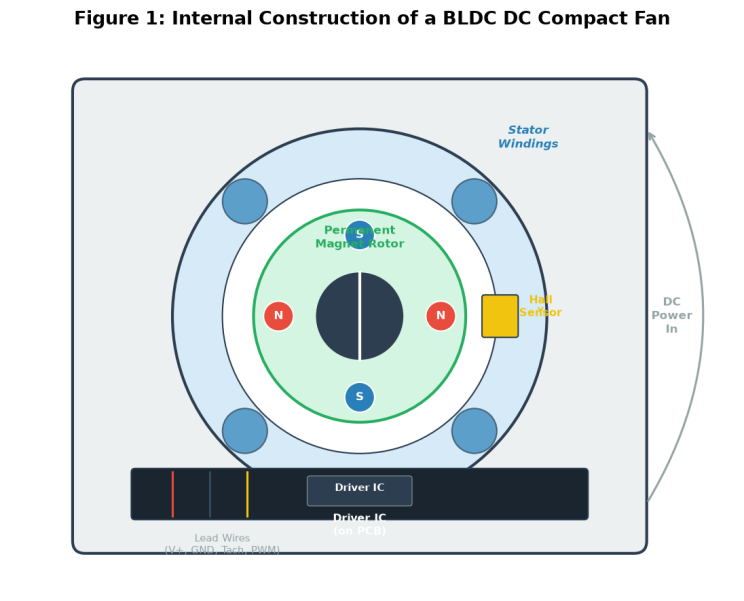
Figure 1: Internal construction of a brushless DC compact fan, showing the stator windings, permanent magnet rotor, Hall-effect sensor, and driver IC.
At the heart of every DC compact fan is a brushless DC motor. Unlike traditional brushed DC motors, which use physical carbon brushes to commutate the current, BLDC motors use electronic commutation. A small driver IC reads the rotor position via a Hall-effect sensor and switches the stator windings on and off in sequence, creating a rotating magnetic field that drags the permanent magnet rotor along with it [3].

This design has several advantages. There are no brushes to wear out, so motor life is limited only by the bearings. Electronic commutation produces less electrical noise than brushed motors, which matters in sensitive electronics environments [3]. The driver IC can also accept external speed control signals, which is impossible with a simple brushed motor.

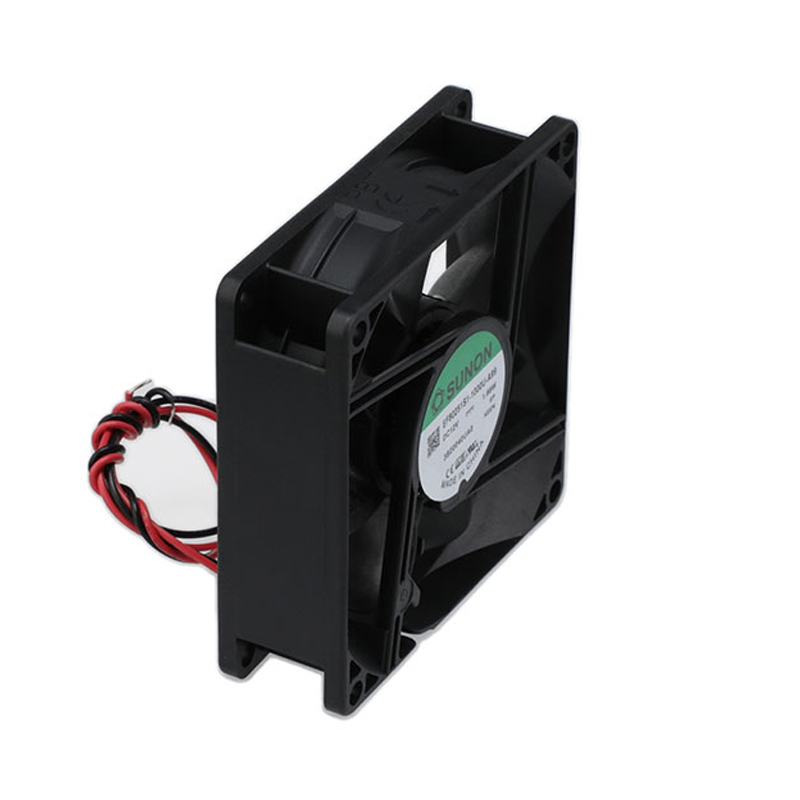
The fan typically has three or four lead wires: positive voltage (red), ground (black), tachometer output (yellow, a pulse signal indicating RPM), and optionally a PWM control input (blue). Two-wire fans omit the tachometer and PWM lines, and speed is controlled only by varying the supply voltage [2].

3. Types of DC Compact Fans

DC compact fans are not a monolithic category. They come in several configurations, each suited to different cooling challenges.

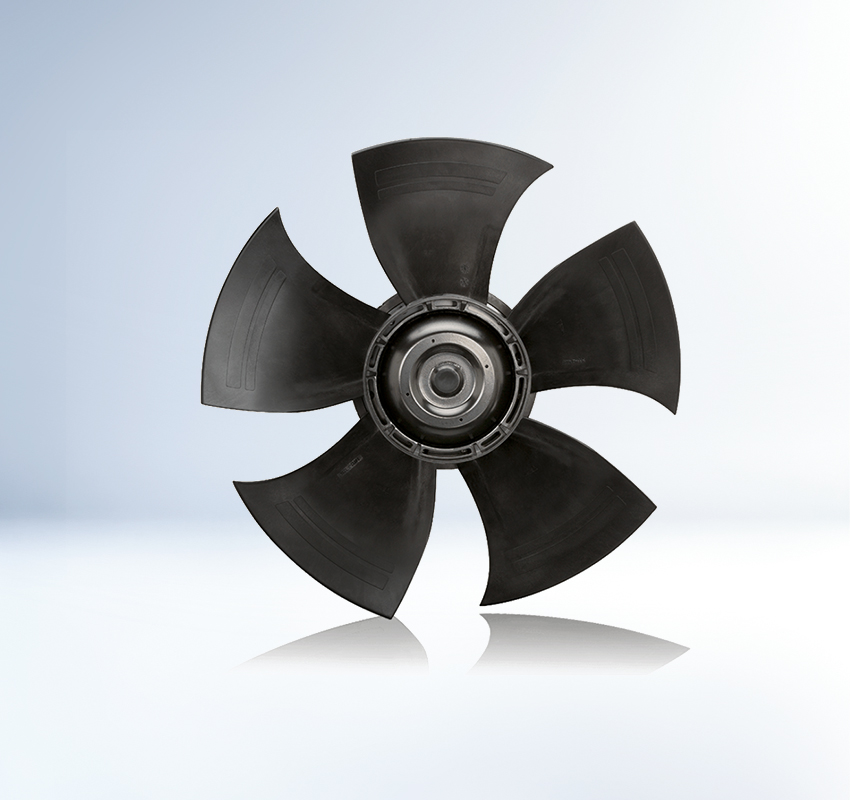
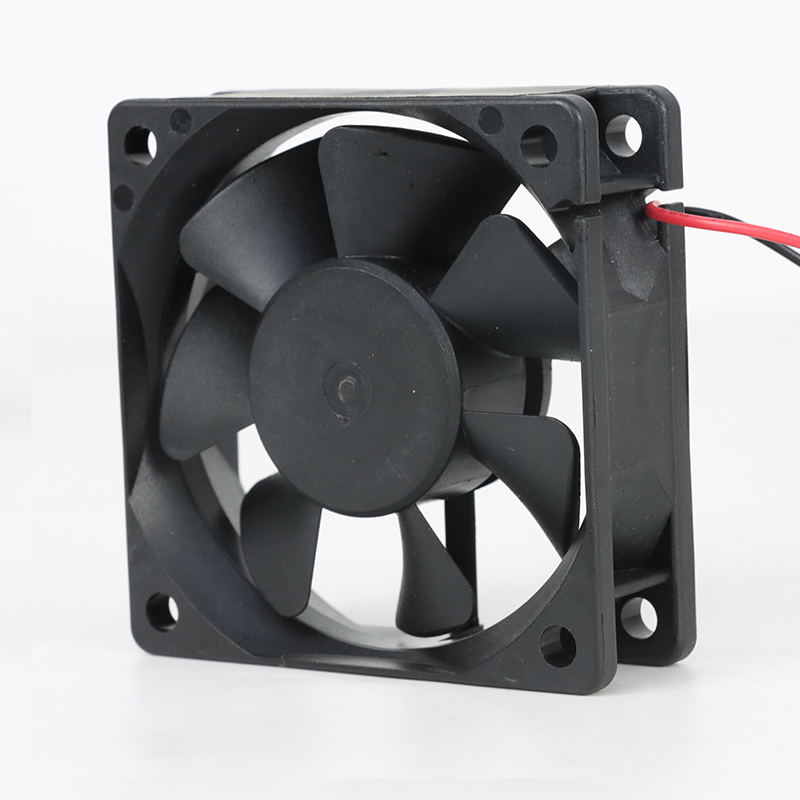
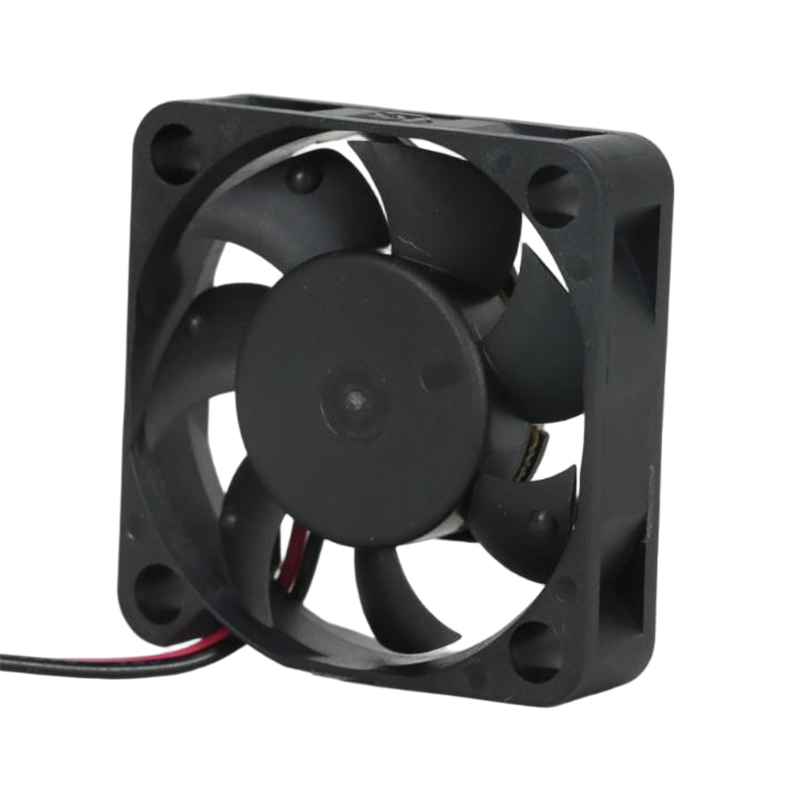
Axial Fans The most common type. Air flows parallel to the fan shaft, pushed by angled blades that act like a propeller. Axial fans move a lot of air at low static pressure, making them ideal for general-purpose ventilation inside enclosures and across heat sinks. Standard square frame sizes range from 25 mm to 120 mm [4].

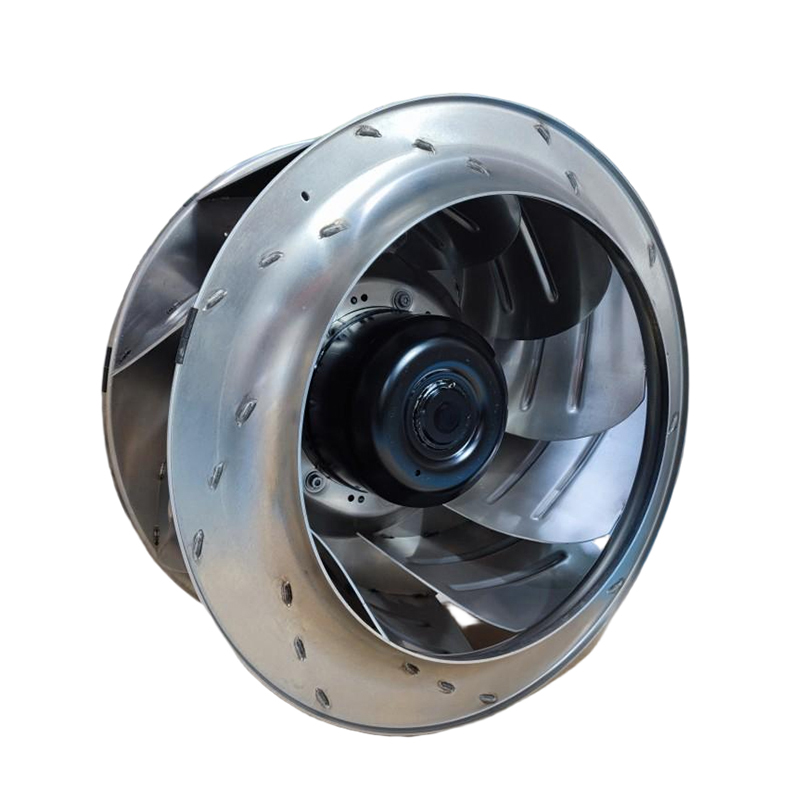
Centrifugal (Blower) Fans

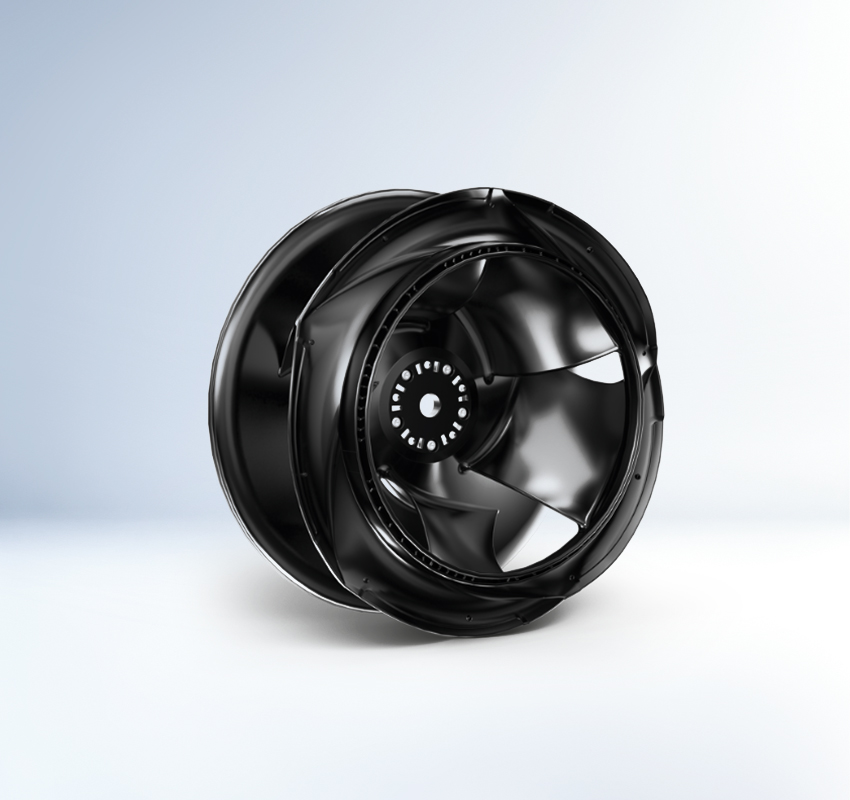
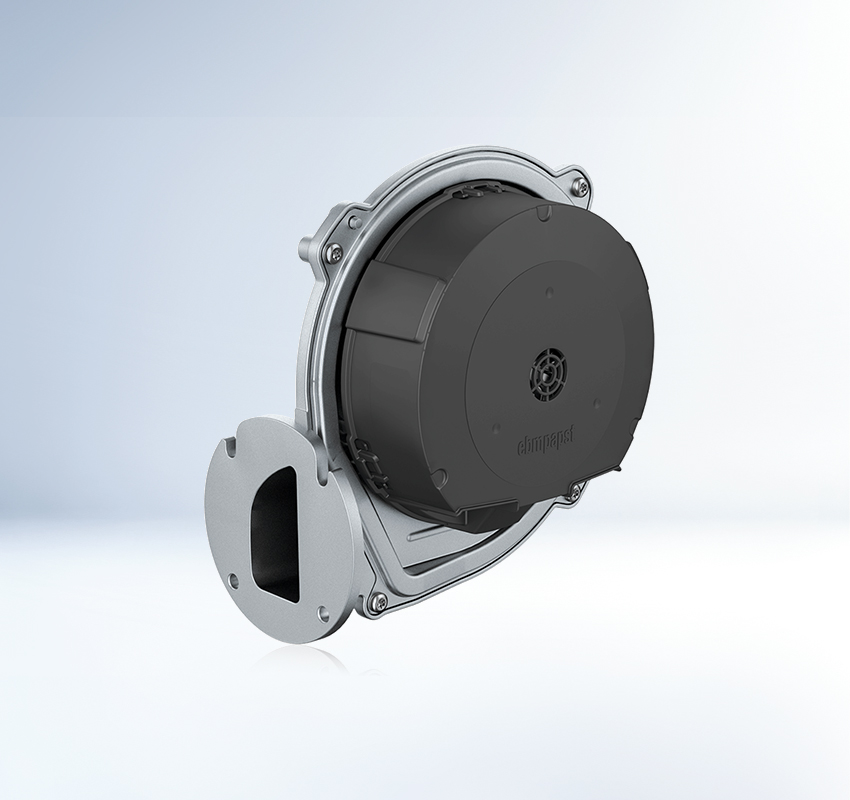
When you need to push air through a restrictive path, like a dense heat sink fin stack or a long duct, a centrifugal blower is the better choice. These fans draw air in axially and expel it at 90 degrees, generating higher static pressure at the cost of lower airflow. They are common in laptop cooling, projector light engines, and 1U server chassis [1].

Cross-Flow (Tangential) Fans

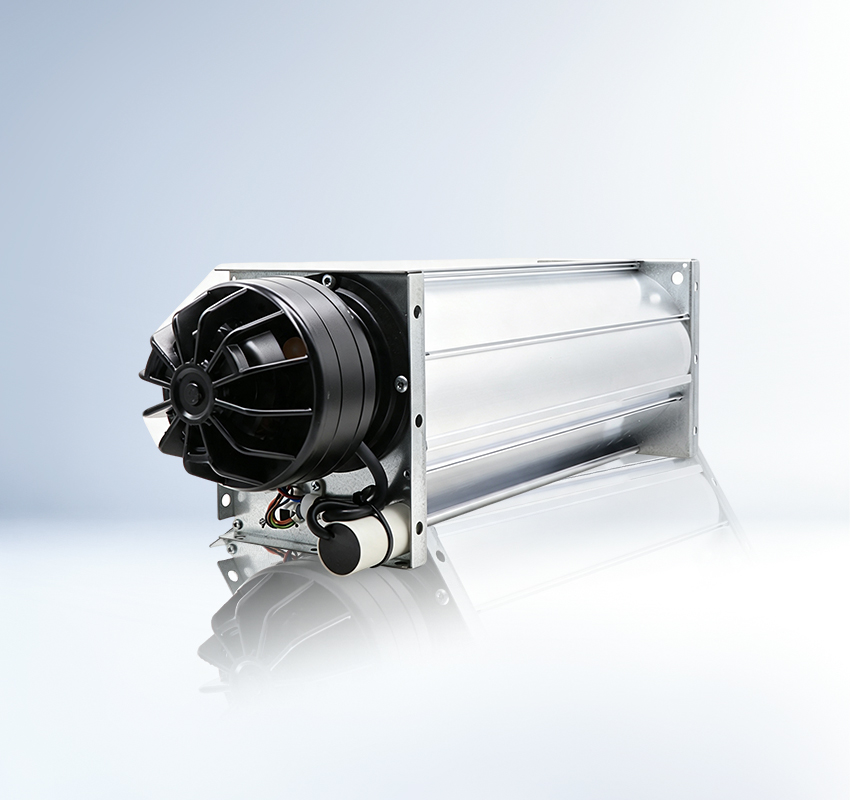
Less common but useful in specific applications, cross-flow fans create a wide, uniform curtain of air across their entire length. You will find them in air curtains, pellet stoves, and some industrial drying equipment.

4. Key Specifications and Performance

What Is a DC Compact Fan?

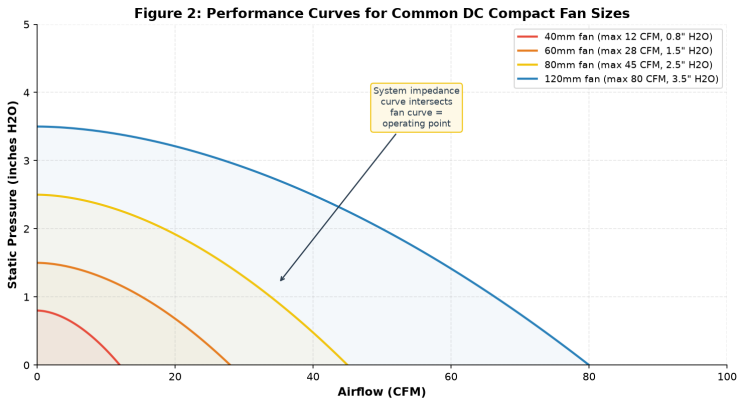
Figure 2: Performance curves showing the relationship between airflow and static pressure for common DC compact fan sizes. Larger fans deliver more airflow but face the same impedance physics.

Understanding fan datasheets requires knowing a few key metrics. Here is what matters and what the numbers actually mean in practice.

Airflow (CFM or m3/h)

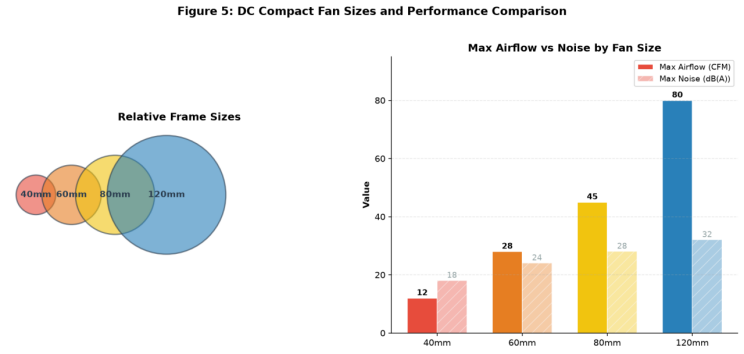
CFM (cubic feet per minute) is the standard in North America, while m3/h is used in Europe and Asia. This is the maximum volume of air with zero static pressure resistance. A typical 80 mm DC fan might be rated at 45 CFM, a 120 mm model at 80 CFM or more [4]. But this is the free-air maximum; real-world airflow is always lower once system impedance from heat sinks, filters, and grilles is factored in.

Static Pressure (mmH2O or inches H2O)

This tells you how much resistance the fan can overcome. If your fan sits behind a dense filter or pushes through a narrow channel, static pressure matters more than peak airflow. A 40 mm fan might generate 0.15 inches H2O, while a centrifugal blower of the same size can produce 1.5 inches H2O or more [1].

Noise Level (dB(A))

Fan noise comes from motor/bearing noise and aerodynamic blade noise. At full speed, a 40 mm fan typically produces 18 to 22 dB(A), a 120 mm fan 28 to 35 dB(A). Larger fans can move the same airflow at lower RPM, which is why a 120 mm fan at 1200 RPM is quieter than an 80 mm fan at 3000 RPM delivering the same CFM [2].

Power Consumption

DC compact fans draw anywhere from 0.5W for a 30 mm fan to 10W or more for a high-performance 120 mm server fan. The U.S. Department of Energy notes that motor-driven systems represent roughly 70% of industrial electricity use, so even small efficiency gains compound across thousands of deployed units [6].

What Is a DC Compact Fan?

Figure 5: Physical size comparison and maximum airflow/noise ratings for standard DC compact fan frame sizes.

5. Bearing Types: The Hidden Decision

What Is a DC Compact Fan?

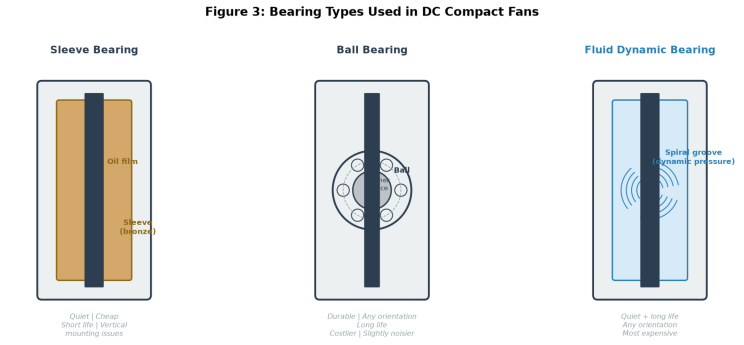
Figure 3: Three bearing types used in DC compact fans. The bearing choice significantly affects lifespan, noise, and cost.

The bearing is the component that will fail first on any DC compact fan. Choosing the right bearing type is arguably more important than choosing the right airflow rating. There are three main options.

Sleeve Bearings

The cheapest option. The fan shaft rides inside a porous bronze sleeve impregnated with oil. Sleeve bearings are quiet when new and cost almost nothing. The problem is that the oil eventually dries out, especially at elevated temperatures. A sleeve bearing rated for 30,000 hours at 25 degrees Celsius might last only 10,000 hours at 60 degrees [7]. They also do not tolerate vertical shaft orientation, because gravity wears one side of the sleeve faster.

Ball Bearings

Steel balls roll between an inner race and an outer race. Ball bearings handle higher temperatures, tolerate any mounting orientation, and typically last 50,000 to 70,000 hours. They cost more and produce slightly more mechanical noise at low speeds, but for most industrial and telecom applications, they are the sensible default [7].

Fluid Dynamic Bearings (FDB)

FDB designs use a spiral groove pattern that pumps oil into the bearing gap as the shaft rotates, creating a pressurized fluid film that separates shaft from sleeve. FDB bearings combine the quietness of sleeve bearings with the longevity of ball bearings, often exceeding 80,000 hours. They are the premium choice used in high-end server fans and gaming GPU coolers [2].

6. Speed Control and Interface Options

What Is a DC Compact Fan?

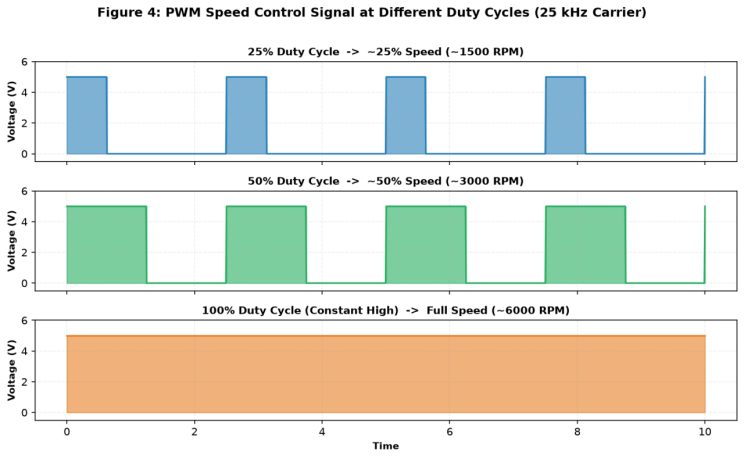
Figure 4: PWM speed control signal at three duty cycles. The fan speed tracks the duty cycle, allowing precise thermal management.

One of the biggest advantages of DC compact fans over their AC counterparts is the ease of speed control. There are several common methods.

Voltage Control

The simplest approach: reduce the supply voltage and the fan slows down. A 12V fan at 7V spins at roughly 60% speed. This works on two-wire and three-wire fans, but the minimum starting voltage is typically 5 to 6V, so the fan cannot slow below about 40% speed. Some fans also produce audible clicking at very low voltages [3].

PWM (Pulse Width Modulation) Control

Four-wire fans with a dedicated PWM input can be controlled far more precisely. The PWM signal is a square wave at 25 kHz where the duty cycle determines speed. At 25% duty, the fan runs at about 25% speed; at 100% duty, full speed. PWM allows stable operation down to about 15 to 20% of maximum without stalling [4]. This is the standard method in modern computer motherboards, server chassis, and industrial controllers.

Tachometer Output

Most three-wire and four-wire fans provide a tachometer signal: a pulse train where frequency is proportional to fan speed, typically two pulses per revolution. The system controller can read this to confirm the fan is running and monitor speed in real time. If the signal drops to zero, the controller can trigger an alarm, ramp up a redundant fan, or shut down to prevent thermal damage [1].

ASHRAE guidelines for data center thermal management emphasize the importance of fan monitoring and redundancy in mission-critical cooling applications [5]. Energy Star specifications for electronic equipment also encourage the use of variable-speed fan control to reduce standby and idle power consumption [8].

7. Common Applications

DC compact fans are used in an enormous range of products. Here are the most common categories and what they demand from the fan.
IT and Telecommunications

Servers, routers, switches, and storage devices all rely on DC compact fans. These applications typically use 40 mm to 80 mm ball-bearing fans with tachometer output and PWM control. They run 24/7 in environments where ambient temperatures can reach 40 to 50 degrees Celsius, so reliability is paramount [2]. Data center designs following ASHRAE thermal guidelines often incorporate multiple fans in redundant N+1 configurations [5].

Automotive Electronics

Modern vehicles pack dozens of ECUs, infotainment systems, and LED headlight drivers into tight spaces. DC compact fans cool these components but must survive extreme temperature swings (-40 to +85 degrees Celsius), vibration, and moisture. Automotive-grade fans use special sealing, vibration-resistant bearings, and AEC-Q200 qualified components [1].

Medical Devices

Patient monitoring equipment, diagnostic imaging machines, and laboratory instruments use DC compact fans for cooling power supplies and processors. Medical applications often require low electrical noise, long lifespan, and IEC 60601 compliance. FDB bearings are common here because of their quiet operation [7].

Industrial Automation

PLCs, motor controllers, and power electronics in factory environments need forced-air cooling. These fans often face dirty air and may require IP54 or higher ingress protection. Ball bearings are standard, and some manufacturers offer variants with special coatings for corrosive atmospheres [1].

Consumer Electronics

Gaming consoles, desktop PCs, and 3D printers use DC compact fans. Noise is usually the top priority, and PWM control lets the fan idle quietly during light loads. Energy Star has driven adoption of variable-speed fans in consumer electronics to meet idle power limits [8].

8. How to Choose the Right DC Compact Fan

Here is a practical framework for selecting a DC compact fan, based on the most common decision points engineers face.

Step 1: Determine the thermal load.

Calculate how much heat needs to be removed (in watts) and the maximum allowable temperature rise. A rough rule: 1 CFM removes about 1 to 1.5 watts with a 10 degree Celsius rise. Add a 30 to 50% safety margin [4].

Step 2: Assess system impedance.

If air must pass through filters, dense heat sink fins, or long ducts, you need higher static pressure. Compare the system impedance curve against the fan's performance curve to find the operating point. If airflow falls short, pick a higher-pressure fan or add a second fan in push-pull configuration [4].
Step 3: Choose the bearing type.

For short-life consumer products, sleeve bearings are fine. For anything running for years, go with ball bearings. For silence and longevity both, choose FDB. Above 50 degrees Celsius, sleeve bearing life drops sharply [7].

Step 4: Select the control interface.

Need speed control? Go with a four-wire PWM fan. Only on/off? A two-wire fan is enough. Need speed monitoring without control? A three-wire fan with tachometer output [3].

Step 5: Verify acoustic requirements.

Check the fan's noise rating against your application limits. For office and home environments, aim for under 25 dB(A) at typical speed. Perceived noise doubles every 10 dB, so a 35 dB(A) fan sounds twice as loud as a 25 dB(A) fan [2].

Step 6: Consider redundancy and monitoring.

In mission-critical applications, use multiple fans with tachometer feedback so the system can detect failures and compensate. AMCA-certified performance data ensures that published specifications are accurate and comparable across manufacturers [4].

9. Summary

DC compact fans are small, brushless DC motor-driven axial or centrifugal fans designed for electronics cooling. They run on low-voltage DC power, offer precise speed control via PWM, and provide tachometer feedback for monitoring. Their performance is defined by airflow, static pressure, noise, and power consumption, all trading off against each other depending on frame size and blade design.

The bearing type is the single most important spec for long-term reliability: sleeve bearings are cheap but short-lived, ball bearings are the dependable workhorse, and FDB bearings offer the best combination of silence and longevity. When selecting a fan, start with the thermal load, match the performance curve to system impedance, choose the right bearing for your lifespan and noise needs, and implement speed control and monitoring appropriate to the application's criticality.

10. Frequently Asked Questions

Q1: What voltage do DC compact fans use?

Most DC compact fans operate on 5V, 12V, 24V, or 48V DC. 12V is by far the most common, found in computers, telecom, and consumer electronics. 24V fans are typical in industrial applications, 5V in portable devices like Raspberry Pi projects, and 48V in data center and telecom rack cooling [1].
Q2: Can I run a 12V DC fan at a lower voltage to slow it down?

Yes, but with limitations. Reducing the voltage from 12V to 7V will slow the fan to roughly 60% speed. However, most fans have a minimum starting voltage of 5 to 6V, below which the motor may stall. For precise low-speed control, a four-wire PWM fan is better, as it can maintain stable operation down to 15 to 20% of full speed [3].

Q3: How long do DC compact fans last?

It depends on bearing type and operating temperature. A sleeve bearing fan might last 30,000 hours at 25 degrees Celsius but only 10,000 hours at 60 degrees. Ball bearings typically run 50,000 to 70,000 hours. FDB bearings can exceed 80,000 hours. For context, 50,000 hours is about 5.7 years of continuous 24/7 operation. Manufacturers like Sunon and Sanyo Denki publish L10 life curves at various temperatures [7].

Q4: What is the difference between a three-wire and a four-wire DC fan?

A three-wire fan has power, ground, and a tachometer output. You can monitor speed but cannot control it via a dedicated signal. A four-wire fan adds a PWM control input, allowing independent speed control while maintaining full supply voltage and continuous tachometer feedback. Four-wire fans are the standard for modern server and computer cooling [4].

Q5: Are DC compact fans energy efficient?

Yes. BLDC motors in DC compact fans typically achieve 60 to 85% efficiency, significantly higher than the 30 to 50% of small AC shaded-pole motors. The DOE has identified motor system efficiency upgrades as one of the most cost-effective energy conservation measures available, and Energy Star products increasingly specify DC fan technology to meet efficiency targets [6]. In battery-powered applications, lower power draw directly extends operating time [8].

11. References

[1] ebm-papst Group. DC Compact Fans. Available at: https://www.ebm-papst.com.cn/en/
[2] Sanyo Denki. Sanace DC Fan Products. Available at: https://products.sanyodenki.com/en/sanace/
[3] IEEE. Neethu, U. and Jisha, V.R. (2012). "Speed control of brushless DC motor: A comparative study." International Conference on Power, Signals, Controls and Computing (EPSCICON). Available at: https://standards.ieee.org/
[4] AMCA International. Fan Performance Standards and Certification. Available at: https://amca.org/
[5] ASHRAE. Thermal Guidelines for Data Processing Environments. Available at: https://www.ashrae.org/
[6] U.S. Department of Energy. Motor Systems. Available at: https://www.energy.gov/eere/amo/motor-systems
[7] Sunon. DC Fan Bearing Technology. Available at: https://www.sunon.com/en/
[8] Energy Star. Energy Efficiency Guidelines for Electronic Equipment. Available at: https://www.energystar.gov/